






Table of Contents
ToggleWhen you’re shopping for a security camera, the spec sheet can feel like alphabet soup, 1080p this, 2K that, megapixels everywhere. But here’s the practical question every homeowner asks: do you really need to pay extra for 2K, or will 1080p get the job done? The answer depends on where you’re installing the camera, what you’re trying to see, and how much storage and bandwidth you’re willing to commit to. This guide breaks down the real-world differences between these two resolutions so you can make a choice that fits your home’s security needs and your budget.
Key Takeaways
- 2K security cameras deliver 77% more pixels than 1080p, providing superior detail when zooming into footage or monitoring from distance, though quality glass and lighting often matter more than raw pixel count.
- 1080p cameras are ideal for close-range monitoring (under 15–20 feet) and tight budgets, while 2K is worth the premium for wide areas and long driveways where identifying distant details matters.
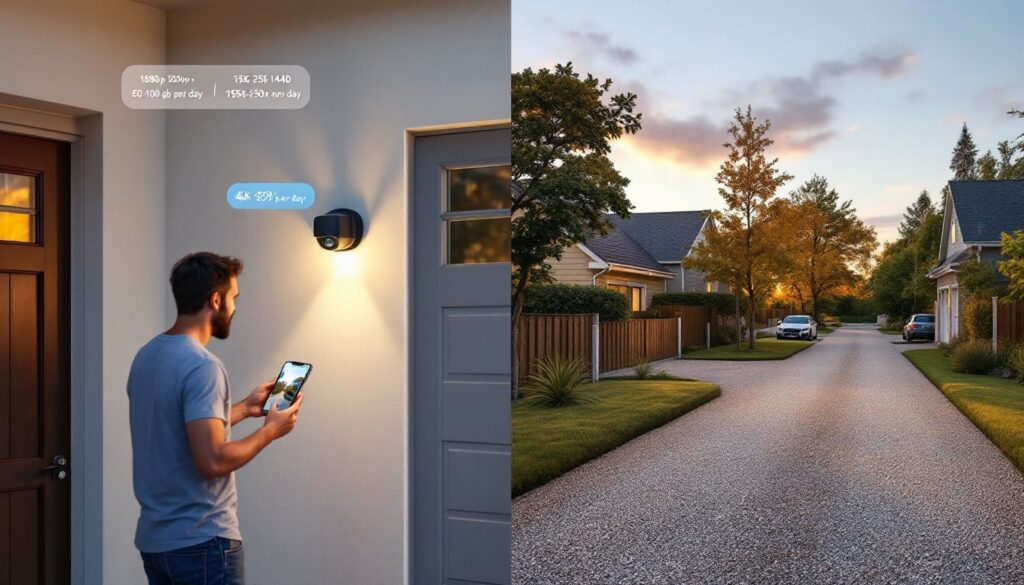
- 2K footage requires 2–3 times more storage and bandwidth than 1080p—expect 150–250 GB per day versus 50–100 GB—so confirm your network and drives can support it before upgrading.
- A hybrid approach works best for most homes: deploy 1080p cameras at entry doors and close-range angles, then add 2K only for wide-area or long-distance views to balance cost and actual security needs.
- The real-world security value depends on camera placement, lighting conditions, and what you actually need to capture rather than resolution specifications alone.
Understanding Resolution: 1080p vs 2K Explained
Let’s start with what these numbers actually mean. 1080p refers to a vertical resolution of 1080 pixels, delivered across a 16:9 aspect ratio. That works out to 1920×1080 total pixels per frame, roughly 2 megapixels. 2K, by contrast, gives you 2560×1440 pixels (also 16:9), delivering about 3.7 megapixels per frame.
In plain terms: 2K packs roughly 77% more pixels into the same frame. That extra pixel density translates to sharper detail when you zoom in or try to identify a face from a distance. But “more pixels” doesn’t automatically mean “better security footage”, it depends on your lens quality, lighting, and what you’re actually trying to capture.
One important note: don’t confuse 2K with 4K. Some manufacturers label 2560×1440 as “2K,” while others use the term loosely. For home security, true 4K (3840×2160) is usually overkill and creates massive file sizes. The 1080p-to-2K jump is the real sweet spot for most homeowners.
Video Quality and Detail Comparison
On-screen, the difference between 1080p and 2K becomes obvious when you’re zoomed in or cropped into a specific area of the frame. A 1080p feed can feel soft or blocky if you’re trying to read a license plate or see facial details from 20+ feet away. The 2K sensor captures finer detail in the same scene, which gives you more room to zoom into footage during playback without the image turning into a pixelated mess.
But here’s where practicality kicks in: if you’re installing a camera pointing at your front door (5–10 feet away), you’ll get sharp facial recognition from either resolution. 1080p is perfectly adequate for close-range monitoring like entryways, decks, or driveways. The real value of 2K shows up when you’ve got a wider scene, a long driveway, a side yard, or an intersection, where you need to capture detail across a larger distance.
Lighting also matters enormously. A 1080p camera in bright daylight with a good lens will outperform a 2K camera in dim conditions with a cheap lens. Don’t assume higher resolution automatically wins. Quality glass, sensor size, and dynamic range processing often matter more than raw pixel count. Many homeowners underestimate how much a $50 lens upgrade changes the picture.
Storage and Bandwidth Requirements
Here’s where 2K stops looking like a bargain. A 1080p stream typically uses 3–6 Mbps when recorded with reasonable compression (H.264 codec). The same scene in 2K? You’re looking at 8–15 Mbps, depending on frame rate and quality settings.
If you’re storing footage locally (on an NVR or hard drive), the file size difference is substantial. One day of 1080p footage from a single camera might take up 50–100 GB. That same day in 2K could easily hit 150–250 GB. Over a month, you’re talking about a multi-terabyte difference. Most homeowners run out of storage before they run out of need, so upgrading to 2K often means buying bigger drives.
Bandwidth also tightens. If you’re monitoring cameras remotely via your home WiFi or cellular connection, a 2K stream uses significantly more data. On a congested network or a slower internet plan, the extra resolution might actually make the live feed stutter or lag. You’ll need a solid router, potentially a PoE (Power over Ethernet) wired setup, and a reliable upload speed to handle 2K streams without issues. Many homeowners don’t realize their setup can’t actually support 2K until they try it.
Cost Differences and Long-Term Value
A decent 1080p security camera runs $80–$200, depending on features and brand. A comparable 2K model usually costs $180–$400. That’s a 50–100% premium for roughly 77% more pixels. The math doesn’t always pencil out unless you’re solving a specific problem.
Add in storage and compute costs. A 2 TB hard drive is cheap, but a 4 or 6 TB drive (which you’ll likely need for 2K) costs more and uses more power. Over three to five years, that incremental cost matters, especially if you’ve got multiple cameras.
That said, 2K makes sense if you’re doing a fresh install with plenty of budget, or if you’re retrofitting your system with higher-capacity drives anyway. The cost gap has been narrowing as 2K cameras become more common. If you’re already spending $200 on a 1080p camera, jumping to 2K for an extra $100 might deliver solid long-term value, just budget for the storage to back it up.
Real-World Performance for Home Security
In actual home security scenarios, both resolutions have proven effective. Police investigations and insurance claims benefit far more from good lighting and clear positioning than from raw megapixels. A 1080p camera aimed at your front door with a motion light nearby will capture a usable face shot almost every time. Move that camera to a dark corner 40 feet away, and even 4K won’t save you.
When deciding between resolutions, ask: Where is the camera going, and what do I actually need to see? Installing a 2K camera at your garage entrance if your driveway is only 15 feet wide is like buying a rifle scope for a handgun. It’s overkill. Installing 1080p to monitor a long, dark driveway where pedestrians pass through regularly? You’ll kick yourself when you can’t zoom into the footage and see who left the package.
Many security professionals recommend starting with 1080p on your highest-priority angles (entry points, car parking areas) and upgrading to 2K only for wider scenes or if storage and bandwidth aren’t constraints. This hybrid approach is budget-friendly and often covers your real security needs. Home Security Cameras: Essential offers a broader view on placement strategy that pairs well with resolution decisions.
Which Resolution is Right for Your Home
Choose 1080p if:
- Your cameras are mounted within 15–20 feet of the target area.
- You’re on a tight budget or have limited storage.
- You have multiple cameras and storage/bandwidth concerns.
- You prioritize simplicity and fast processing over maximum detail.
- Your internet connection is moderate speed (under 50 Mbps upload).
Choose 2K if:
- You’re covering wide areas (long driveways, yards, intersections) where distance matters.
- You have solid local storage capacity (multiple terabytes available).
- Your network and internet are robust (gigabit LAN, 25+ Mbps upload).
- You’re willing to upgrade your NVR or storage system as part of the install.
- Detail recognition from a distance is a genuine security priority (e.g., identifying intruders in a large yard at night).
A practical setup for most homes: 1080p on entry doors and close-range angles, 2K on long-distance or open-area views. This balances cost, storage, and actual security value. Before committing to either, review 5 things you need to ensure you’re thinking through placement, lens selection, and integration with your existing network.
Also check current technology reviews on CNET and Digital Trends for hands-on camera comparisons. These sources regularly test both 1080p and 2K models under real-world conditions, showing how each performs in actual installations rather than lab specs.
Conclusion
The resolution you choose should match your specific installation, not your ego or a product spec sheet. 1080p remains plenty for most home security needs, especially at close range. 2K delivers measurable improvement for distance monitoring and wide-area coverage, provided you’ve got the storage and bandwidth to support it. Measure your angles, understand your network limits, and be honest about what detail you actually need to capture. That’s how you get real security value instead of just bigger numbers on a box.